How to Read Spotify for Artists Analytics: Boost Your Music Career
As an independent artist, you might be frustrated when your 50 released songs garner zero playlist placements or when a $500 promotion yields minimal results. You may even feel invisible after grinding for three years without substantial growth. If that sounds familiar, you’re here for a reason: learning how to read Spotify for Artists analytics. This insight is crucial for understanding your audience, optimizing your strategy, and driving your music career forward.
The primary takeaway is that deciphering data in Spotify for Artists isn’t just about numbers; it’s about actionable insights that can propel your music’s reach. By grasping key metrics, you can make informed decisions to enhance your visibility and engagement on the platform.
Identifying Your Audience: A Core Challenge

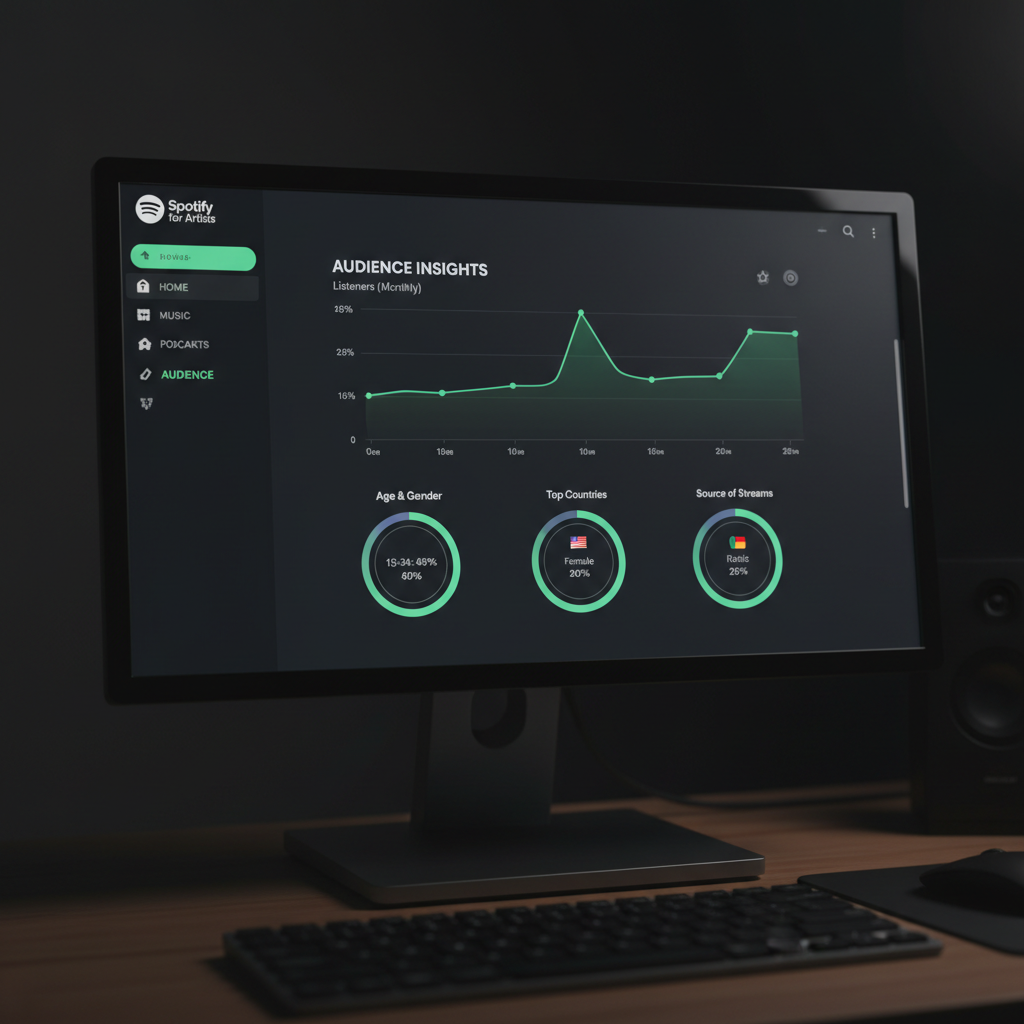
Many artists experience challenges in identifying their audience. You might notice that despite streaming numbers, engagement remains low. To address this, focus on the demographics—age, gender, and location—available in your Spotify for Artists dashboard.
- Step 1: Log into your Spotify for Artists account and navigate to the Audience section.
- Step 2: Analyze demographic data to understand who is listening to your music.
- Step 3: Tailor your marketing strategies to align with your identified audience.
By aligning your promotional content to specific audience segments, you increase your chances of engagement and playlist placements.
Understanding Your Playlist Adds and Save Rates
Many artists overlook the importance of save rates and playlist adds. However, these metrics are essential for the Spotify algorithm to promote your music. For example, the save rate threshold is typically above 10%. If you are not hitting this mark, your tracks may not be considered for algorithmic playlists.
- Step 1: Monitor your save rates regularly in the Spotify for Artists analytics dashboard.
- Step 2: If your save rates are low, consider promoting your tracks more aggressively during launch week.
- Step 3: Utilize SongBiz's algorithm tracker for insights into your Release Radar and Discover Weekly performance.
"To break into playlists, aim for at least 1,000 saves in your first week—this is pivotal for catching the algorithm’s attention!"
Getting Familiar with Your Streaming Sources
Another common issue is understanding where your streams originate. Are they coming from playlists, searches, or social media? Knowing this helps you focus your promotional efforts.
- Step 1: Go to the Music section in Spotify for Artists to explore your streaming sources.
- Step 2: Identify which playlists contribute the most streams.
- Step 3: Engage with those playlists or curators to maximize your promotion.
Tools like SongBiz can help streamline this process by providing insights into playlist performance and user engagement.
Maximizing Your Outreach with AI Tools
The struggle for visibility can be daunting without the right tools. Many artists spend valuable time manually researching playlists, which is often inefficient. Instead, leverage automation tools to enhance your outreach.
- Step 1: Use SongBiz's AI playlist pitching feature to match your song to verified curators in your genre.
- Step 2: Create an effective electronic press kit (EPK) using the SongBiz EPK builder to present your brand in a professional manner.
- Step 3: Track your submissions and responses using the integrated management tools provided by SongBiz.
"Automating your outreach process can save you hundreds of hours, allowing you to focus on creating more music!"
Evaluating Your Campaign's Impact
After implementing changes based on your analytics, it’s crucial to evaluate the results. If your streams have increased, celebrate! If not, reassess your strategy. Spotify's analytics can often guide your decisions based on real-time data.
- Step 1: Set a timeline—two to three months—to measure your progress after implementing changes.
- Step 2: Analyze your streaming numbers and audience engagement during this period.
- Step 3: Use the data to either refine your strategies or amplify successful approaches.
FAQs: How to Read Spotify for Artists Analytics

What are Spotify for Artists analytics?
Spotify for Artists analytics give musicians insights into their streaming data, audience demographics, and engagement metrics, crucial for strategic decision-making.
How often should I check my Spotify for Artists analytics?
Regular monitoring is advised, ideally weekly, to stay updated on trends and make timely adjustments to your promotional strategies.
Can I track playlist placements on Spotify for Artists?
Yes, Spotify for Artists provides detailed information on how your tracks are performing on playlists, including adds and streaming sources.
How can I improve my analytics performance?
Enhance your performance by targeting your audience, optimizing release strategies, and utilizing tools like SongBiz for efficient outreach and analytics.
Conclusion: Take Your Music Career to the Next Level
Understanding how to read Spotify for Artists analytics is vital for any indie artist seeking to thrive in the music industry. By mastering analytics, you can optimize your promotional strategies and enhance your visibility. Don’t let your hard work go unnoticed—take control of your data!
With SongBiz, you have access to advanced tools that make interpreting analytics and reaching your target audience simpler than ever. Why struggle with manual promotion when AI can handle the heavy lifting for you? Start your free trial at SongBiz — streamline your analytics to elevate your music career! → https://songbizpro.com